
Rabby Mobile adds support for custom network tokens, closing gap with desktop version

Rabby Mobile adds support for custom network tokens, closing gap with desktop version

The DeBank-affiliated wallet now lets mobile users track assets from custom EVM chains directly in their portfolio view.

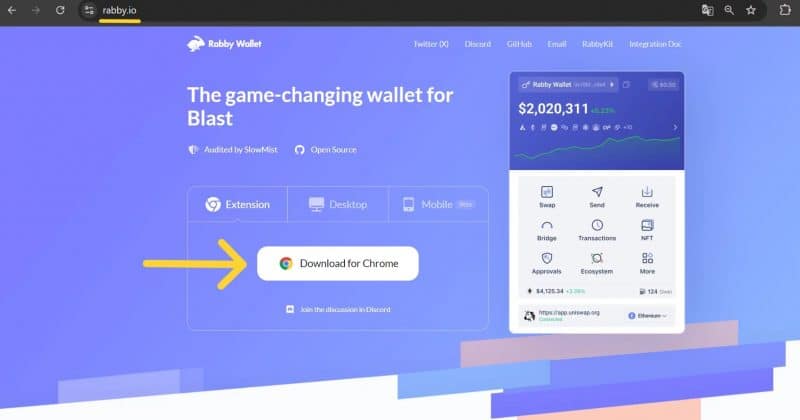
Rabby Wallet shipped a mobile update that brings custom network token support to its iOS and Android apps. Users can now add assets from custom EVM-compatible chains and see them reflected in their portfolio, a feature that had previously only been available on the browser extension.

What the update actually does

The core change is straightforward: Rabby’s mobile app now recognizes tokens on user-added custom EVM chains. Before this update, mobile users who interacted with chains outside Rabby’s default list had to rely on the desktop extension or browser version to see those holdings. The mobile portfolio view simply pretended they didn’t exist.

The wallet, which is built by the team behind DeBank, has long marketed itself on automatic network handling. The idea is that users shouldn’t need to manually switch between chains the way MetaMask historically required. Adding custom network tokens to mobile extends that philosophy to the place where most people actually check their portfolios: their phones.

No specific tokens or protocols were highlighted in the rollout. This is a general-purpose feature, not a partnership announcement. Any EVM-compatible chain a user manually adds should work.

Advertisement

Why mobile parity matters more than you think

Rabby’s custom network support on desktop has been functional for a while. The mobile gap wasn’t a minor oversight. It was a consistent pain point that users had flagged repeatedly. For a wallet competing with MetaMask, Trust Wallet, and a growing field of alternatives, leaving your mobile app half-baked is a strategic liability.

The wallet’s recent update history reinforces this approach. Rabby’s mobile team has been shipping iterative UX improvements and bug fixes rather than headline-grabbing features.

The competitive landscape for EVM wallets

Rabby occupies an interesting niche. It’s not trying to be the everything-wallet that supports Solana, Bitcoin, Cosmos, and whatever chain launched last Tuesday. Its focus is exclusively on Ethereum and EVM-compatible networks. That narrower scope lets it optimize for a specific user profile: the DeFi power user who lives across Ethereum mainnet, Arbitrum, Optimism, Base, and whatever custom chain their favorite protocol just deployed on.

MetaMask remains the default wallet for most EVM users by sheer install base. Rabby’s pitch has always been smoother multi-chain handling, and this update reinforces that positioning.

DeBank’s involvement adds another layer. The portfolio tracker and social platform has built a reputation for comprehensive on-chain data aggregation. Rabby benefits from that infrastructure, which helps explain why its portfolio view tends to be more granular than competitors. Custom network token support on mobile means that data richness now follows users everywhere.

What this means for investors

For users already on Rabby, this is a quality-of-life upgrade that eliminates a genuine workflow bottleneck. If you’ve been managing custom chain assets through the extension while your mobile app showed an incomplete picture, the update solves that disconnect immediately.

The risk to watch is execution on emerging chains. Custom network support is only as useful as the wallet’s ability to accurately detect, price, and display tokens on those chains. If a user adds a custom network and their token balances show up as zero or with incorrect pricing, the feature becomes a source of anxiety rather than convenience. Rabby’s track record on desktop suggests this shouldn’t be a major issue, but mobile environments introduce their own complications around background syncing, push notifications, and data freshness.

Disclosure: This article was edited by Editorial Team. For more information on how we create and review content, see our Editorial Policy.

Rabby Mobile adds support for custom network tokens, closing gap with desktop version

Rabby Mobile adds support for custom network tokens, closing gap with desktop version

The DeBank-affiliated wallet now lets mobile users track assets from custom EVM chains directly in their portfolio view.

Rabby Wallet shipped a mobile update that brings custom network token support to its iOS and Android apps. Users can now add assets from custom EVM-compatible chains and see them reflected in their portfolio, a feature that had previously only been available on the browser extension.

What the update actually does

The core change is straightforward: Rabby’s mobile app now recognizes tokens on user-added custom EVM chains. Before this update, mobile users who interacted with chains outside Rabby’s default list had to rely on the desktop extension or browser version to see those holdings. The mobile portfolio view simply pretended they didn’t exist.

The wallet, which is built by the team behind DeBank, has long marketed itself on automatic network handling. The idea is that users shouldn’t need to manually switch between chains the way MetaMask historically required. Adding custom network tokens to mobile extends that philosophy to the place where most people actually check their portfolios: their phones.

No specific tokens or protocols were highlighted in the rollout. This is a general-purpose feature, not a partnership announcement. Any EVM-compatible chain a user manually adds should work.

Advertisement

Why mobile parity matters more than you think

Rabby’s custom network support on desktop has been functional for a while. The mobile gap wasn’t a minor oversight. It was a consistent pain point that users had flagged repeatedly. For a wallet competing with MetaMask, Trust Wallet, and a growing field of alternatives, leaving your mobile app half-baked is a strategic liability.

The wallet’s recent update history reinforces this approach. Rabby’s mobile team has been shipping iterative UX improvements and bug fixes rather than headline-grabbing features.

The competitive landscape for EVM wallets

Rabby occupies an interesting niche. It’s not trying to be the everything-wallet that supports Solana, Bitcoin, Cosmos, and whatever chain launched last Tuesday. Its focus is exclusively on Ethereum and EVM-compatible networks. That narrower scope lets it optimize for a specific user profile: the DeFi power user who lives across Ethereum mainnet, Arbitrum, Optimism, Base, and whatever custom chain their favorite protocol just deployed on.

MetaMask remains the default wallet for most EVM users by sheer install base. Rabby’s pitch has always been smoother multi-chain handling, and this update reinforces that positioning.

DeBank’s involvement adds another layer. The portfolio tracker and social platform has built a reputation for comprehensive on-chain data aggregation. Rabby benefits from that infrastructure, which helps explain why its portfolio view tends to be more granular than competitors. Custom network token support on mobile means that data richness now follows users everywhere.

What this means for investors

For users already on Rabby, this is a quality-of-life upgrade that eliminates a genuine workflow bottleneck. If you’ve been managing custom chain assets through the extension while your mobile app showed an incomplete picture, the update solves that disconnect immediately.

The risk to watch is execution on emerging chains. Custom network support is only as useful as the wallet’s ability to accurately detect, price, and display tokens on those chains. If a user adds a custom network and their token balances show up as zero or with incorrect pricing, the feature becomes a source of anxiety rather than convenience. Rabby’s track record on desktop suggests this shouldn’t be a major issue, but mobile environments introduce their own complications around background syncing, push notifications, and data freshness.

Disclosure: This article was edited by Editorial Team. For more information on how we create and review content, see our Editorial Policy.